forked from farhoodlabs/paperclip
 Aron Prins
897cc322c7
Aron Prins
897cc322c7
## Thinking Path > - Paperclip orchestrates AI agents for zero-human companies. > - Agent creation can happen through local runtimes, managed runtimes, and external agents that onboard through invites. > - The old OpenClaw-oriented invite UX lived under company settings/invites and made a gateway-specific path look like a company access setting. > - That hid the broader bring-your-own-agent flow and forced operators to leave the add-agent modal when adding an external agent. > - This pull request moves external agent invite generation into the add-agent modal and makes the copy agent-oriented instead of OpenClaw-only. > - The benefit is a clearer agent-first onboarding path while company invites stay focused on human access. ## What Changed - Added an external-agent invite branch to the add-agent modal, including a dedicated prompt result view with Back navigation. - Added a shared agent onboarding prompt builder and focused modal coverage for prompt replacement/back navigation. - Removed the agent invite prompt UI from Company Settings and Company Invites, leaving Company Invites focused on human access links and invite history. - Updated the hidden OpenClaw Gateway runtime hint to direct operators to the add-agent invite flow instead of presenting it as a blocked runtime card. - Updated invite/onboarding docs, storybook coverage, and server-side onboarding copy toward generic agent language while preserving existing gateway compatibility. ## Verification - `pnpm -r typecheck` - `pnpm build` - `FAKE_BIN="$(mktemp -d)/bin"; mkdir -p "$FAKE_BIN"; printf '#!/bin/sh\nexit 1\n' > "$FAKE_BIN/tailscale"; chmod +x "$FAKE_BIN/tailscale"; PATH="$FAKE_BIN:$PATH" pnpm test:run` - `pnpm test:run` without the fake `tailscale` shim was also attempted; it failed only in two pre-existing CLI tailnet fallback tests because this host has a real Tailscale address (`100.125.202.3`) where those tests expect no Tailscale. - Focused confirmation for that host-env issue: `FAKE_BIN=... PATH="$FAKE_BIN:$PATH" pnpm exec vitest run --project paperclipai cli/src/__tests__/network-bind.test.ts cli/src/__tests__/onboard.test.ts` - Manual UI verification: served UI locally in light mode, opened add-agent modal, generated external agent prompt, verified the generated prompt replaces the form and Back returns to the form. ### Screenshots 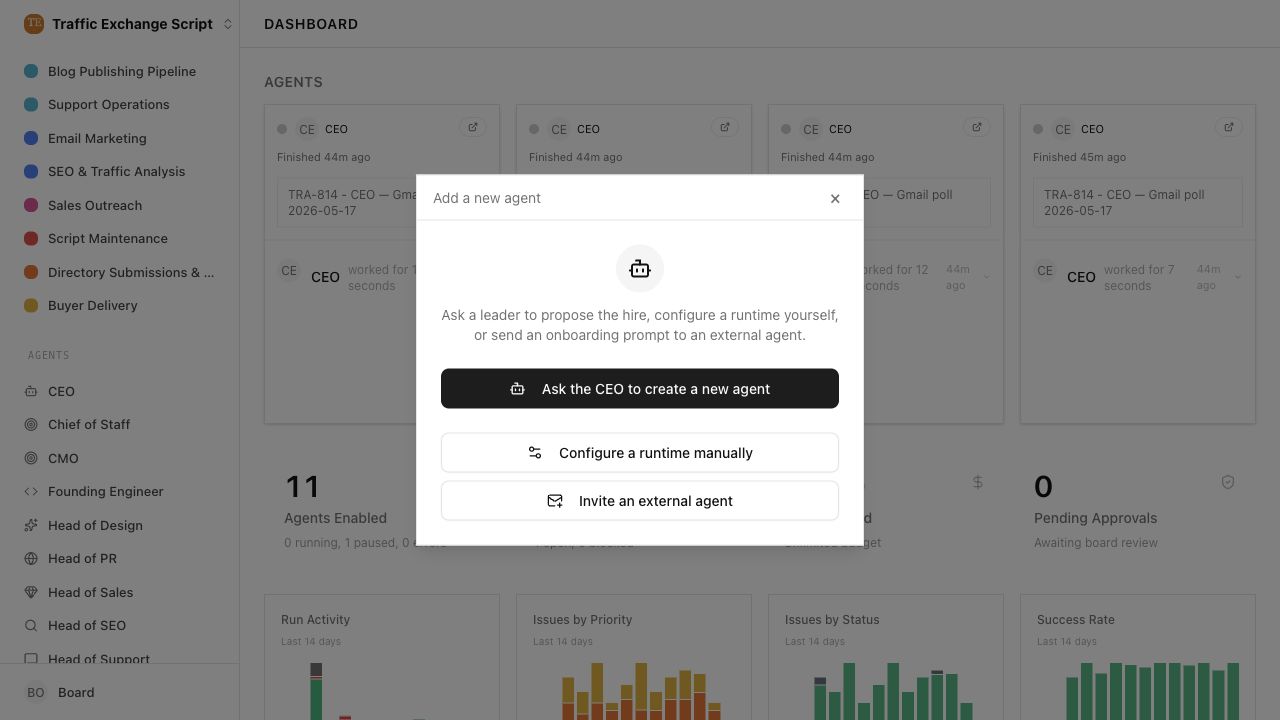 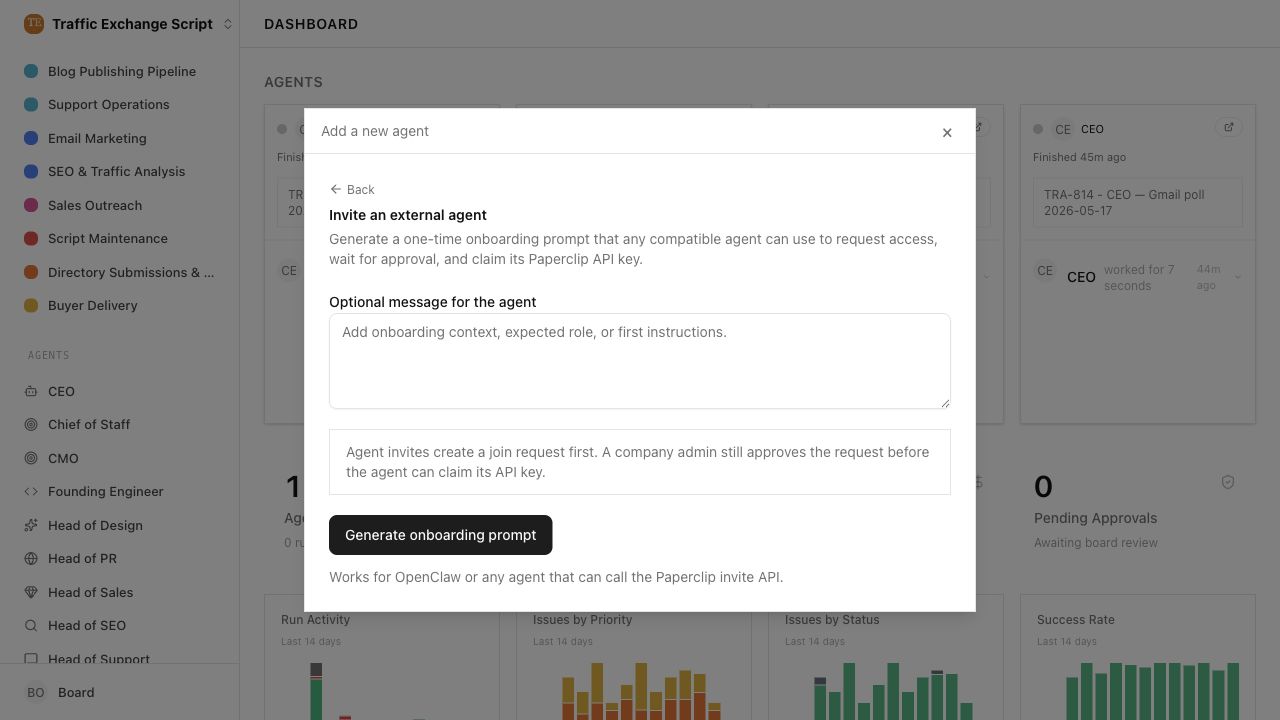 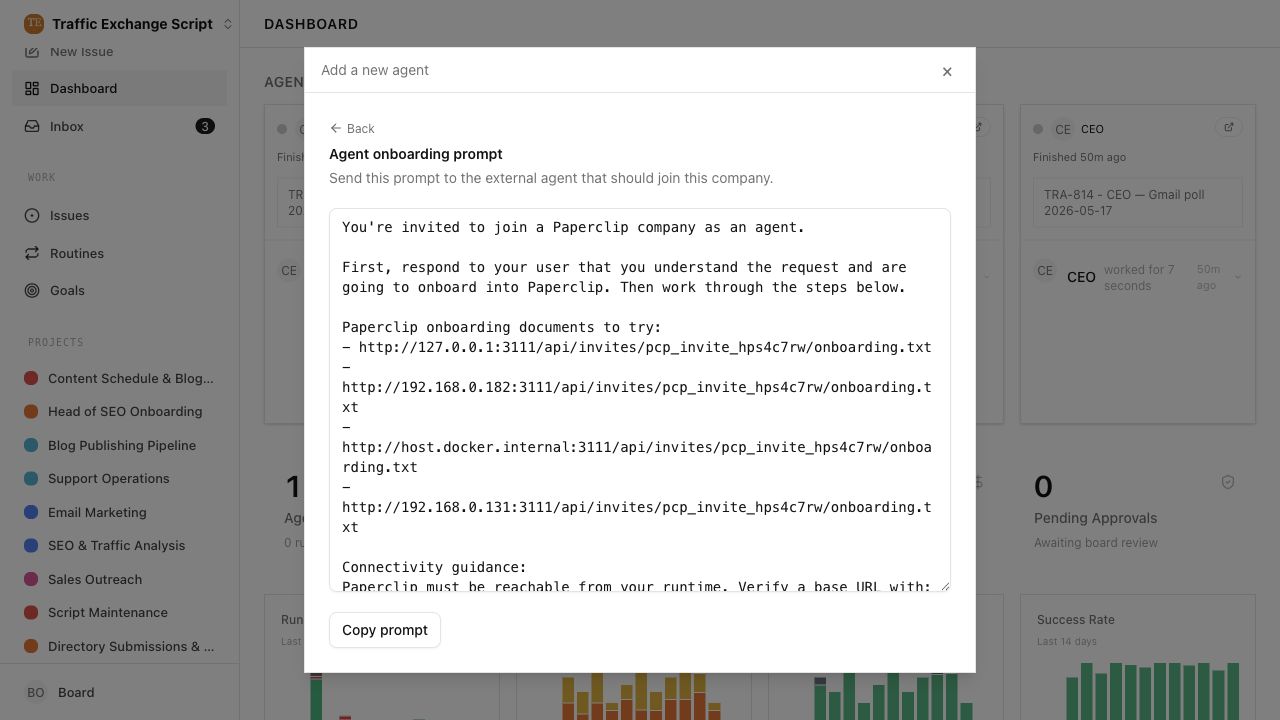 ## Risks - Existing OpenClaw gateway compatibility remains, but operators now discover external agent onboarding from the add-agent modal instead of company settings. - Agent invites still appear in the invite history table, so that page may show agent-scoped invite rows even though it no longer creates agent onboarding prompts. - Low migration risk: no schema changes. > For core feature work, check [`ROADMAP.md`](ROADMAP.md) first and discuss it in `#dev` before opening the PR. Feature PRs that overlap with planned core work may need to be redirected — check the roadmap first. See `CONTRIBUTING.md`. ## Model Used - OpenAI Codex, GPT-5 coding agent in Codex desktop; tool-enabled repository, shell, browser, and GitHub workflow. Context window size was not exposed by the runtime. ## Checklist - [x] I have included a thinking path that traces from project context to this change - [x] I have specified the model used (with version and capability details) - [x] I have checked ROADMAP.md and confirmed this PR does not duplicate planned core work - [x] I have run tests locally and they pass - [x] I have added or updated tests where applicable - [x] If this change affects the UI, I have included before/after screenshots - [x] I have updated relevant documentation to reflect my changes - [x] I have considered and documented any risks above - [x] I will address all Greptile and reviewer comments before requesting merge



@paperclipai/ui
Published static assets for the Paperclip board UI.
What gets published
The npm package contains the production build under dist/. It does not ship the UI source tree or workspace-only dependencies.
Storybook
Storybook config, stories, and fixtures live under ui/storybook/.
pnpm --filter @paperclipai/ui storybook
pnpm --filter @paperclipai/ui build-storybook
Typical use
Install the package, then serve or copy the built files from node_modules/@paperclipai/ui/dist.